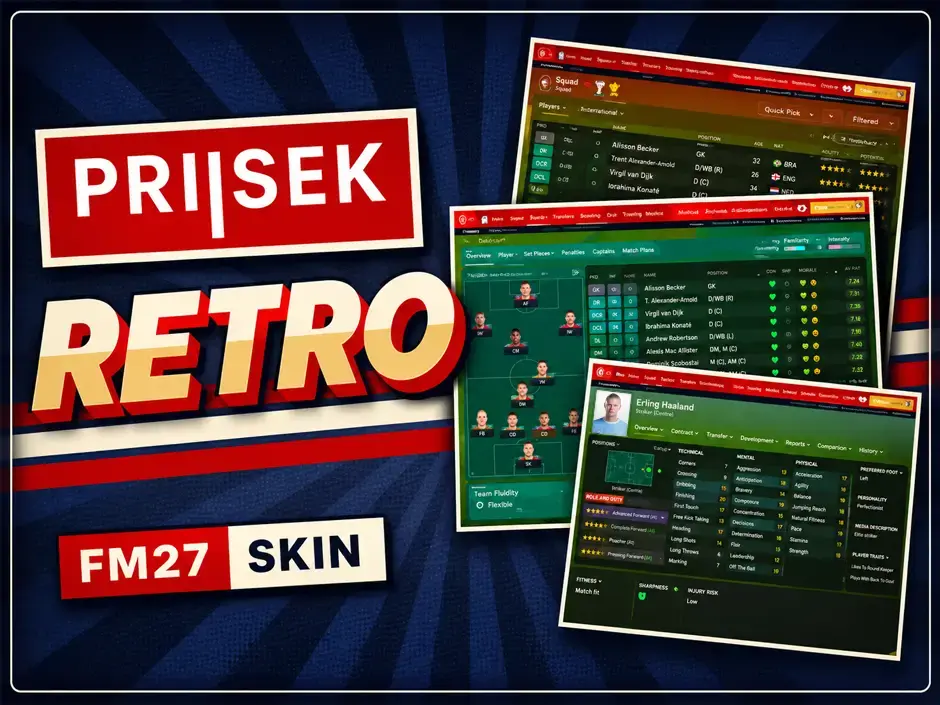
LIGHT SKIN FM27 OPTIMISED FOR DF11
Updated: 5 days ago
After being absent for several years, Light Skins are finally making a comeback!
For a long time, creating a good-looking and fully functional Light Skin was simply not possible due to limitations in Football Manager's interface.
With the arrival of Football Manager 27, things have finally changed.
It's now possible to create a clean, polished and enjoyable Light Skin again.
Light Skin FM27 brings a fresh new look to Football Manager, with bright backgrounds, dark text and subtle navy blue accents!

Light skin FM27 - Perfect compatibility with DF11 Faces
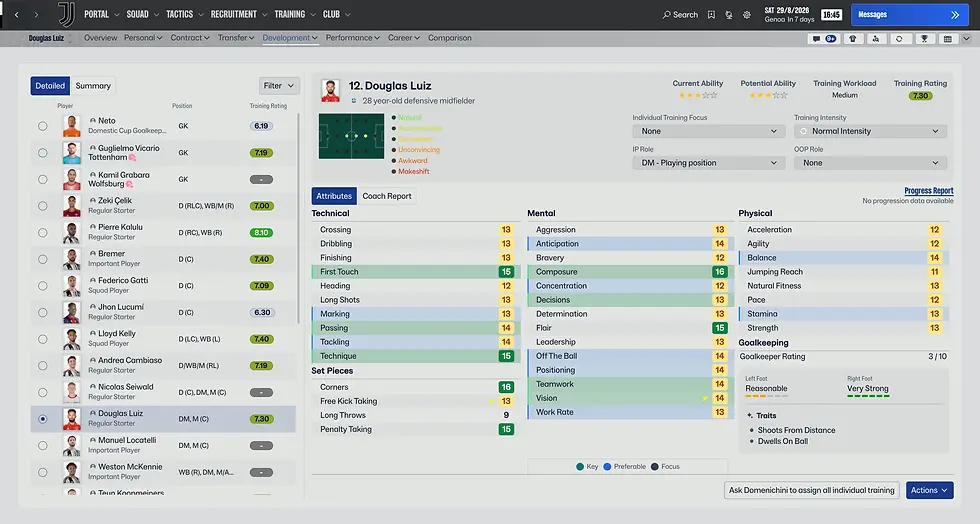
One of the biggest advantages of the Light skin FM27 is that it displays player faces without circular frames.
⭕❌ No circular frames
👤 Perfect for all facepacks, including DF11 Faces Classic and Pure.

The FM27 Light Skin transforms the game's interface with clean white and light grey backgrounds, dark text and subtle navy blue accents. The result is a fresh, modern appearance that makes menus, tables and player information easier on the eyes.

FM27 Light Skin Features
Light theme throughout the game: Menus, inbox, squad, tactics, scouting and match day.
Clean backgrounds: White and light grey backgrounds for a more comfortable viewing experience.
Improved readability: Dark text and carefully selected colours for better contrast.
Player attributes: Recoloured attribute values in player profiles and tables.
Match day experience: Includes the scoreboard, timeline and updated match interface.
Updated graphics: Recoloured icons and pitch graphics to ensure everything remains clearly visible.
Dark panels preserved: Certain elements, including tutorials, club headers and notifications, retain their original dark backgrounds with white text.

✩ Compatibility
Football Manager 27 | Windows | macOS
Created by: Seve1995 | Version: V27.0.0
A special thank you to Seve1995 for creating this fantastic skin and making it available to the Football Manager & DF11 community!
☕ Show your appreciation by buying Seve a coffee: https://ko-fi.com/seve1995
Download Light FM27 Skin
🗐 Installation of the skin
(Windows) Automatic installation with the installer
FM27 skins replace files in the game folder, so to make things easier, I added an installer for the skin files and the BepInEx plugin
1) Close FM27 and extract the zip anywhere
2) Double-click INSTALL.bat and accept the admin prompt.
It backs up the original files, then installs the skin and the plugin (BepInEx is downloaded automatically)
3) Start the game.
(The first launch takes a bit longer because it's applying the plugin)
(Windows) Manual installation
MANUAL_INSTALL.txt in the zip shows which files to back up, where to copy them and how to apply the skin manually
(Apple Silicon) Installation
1) Quit FM27 and extract the zip anywhere
2) Double-click INSTALL.command (the first time macOS may block it: right-click it → Open → Open). It checks the game version, backs up the original files and installs the skin
3) Start the game from Steam
Uninstall
• Windows: UNINSTALL.bat puts the original files back.
• Mac: UNINSTALL.command. Using Steam’s “Verify integrity of game files” (or “Verify and repair” in the Xbox app) also works.
Using Steam's "Verify integrity of game files" also works
(Click here)